v0.2.1 — Pick your mode, reach your workspace
Recursive 0.2.1 makes it easier to work the way you want — and to keep working when you step away from your desk. Skills become modes you can pick and return to, and remote access is something you shape with plugins instead of a one-size-fits-all tunnel.
Pick a skill and stay in that mode. Open the composer menu, choose Pick a Skill, and search for the workflow you want — like Produce Release Notes. Recursive keeps that skill's instructions and tools active until you switch, shows it on a mode pill beside the input, and remembers your recent choices.
Shift through the modes you actually use. Hold Shift and press Tab to cycle Agent, your pinned defaults, and recent skills — without opening the full picker every time. Pinned modes survive a plugin reload, so the shortcuts you rely on stay put.
Remote access, built from plugins. Connection routes are now extensions you install and turn on — Recursive Relay, Tailscale, Cloudflare Tunnel, ngrok, NetBird, ZeroTier, Pangolin, or your own endpoint. Enable the options that fit your network; Recursive handles encrypted access and can switch between ready providers without mixing hosts.
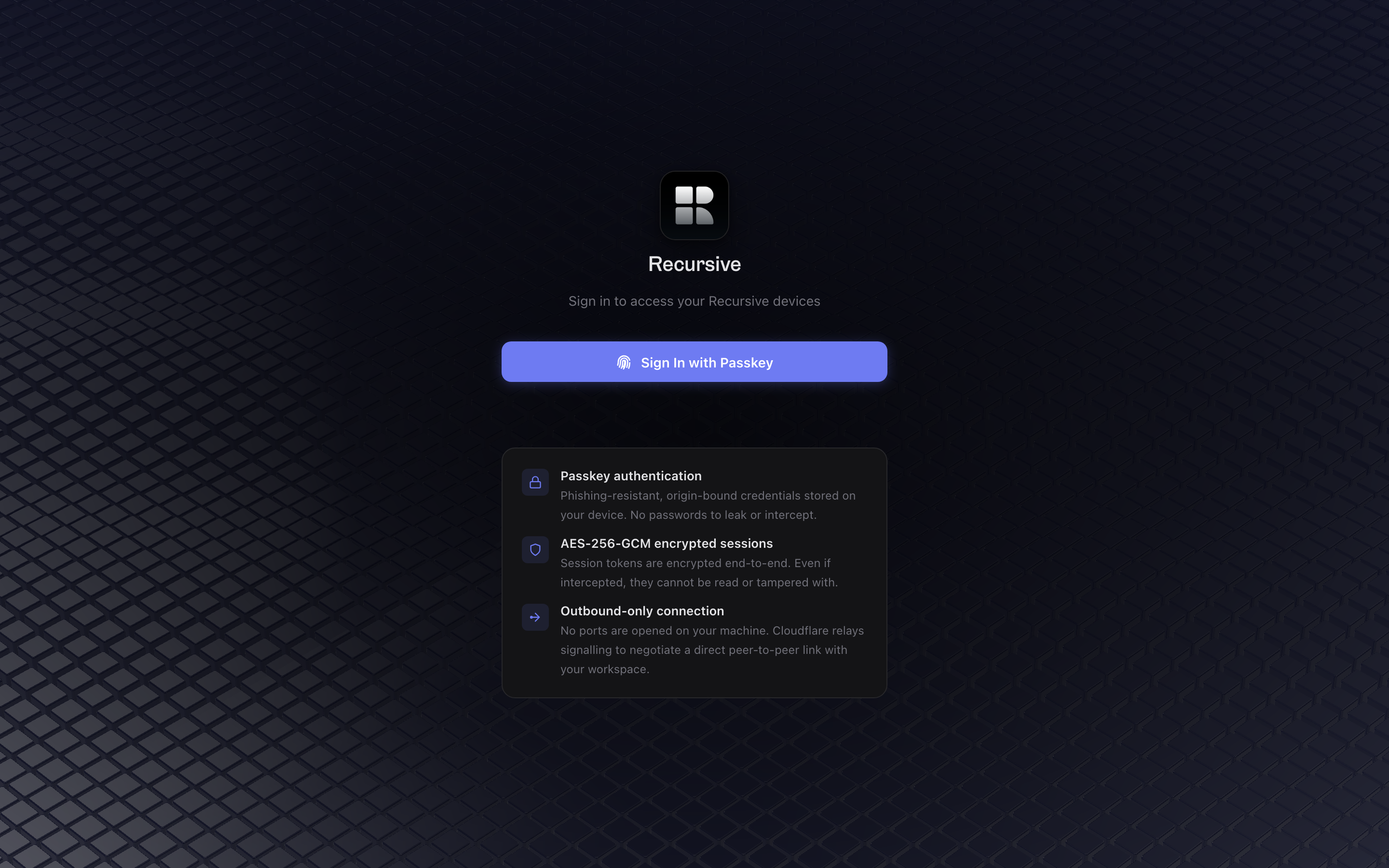
Sign in from anywhere with your passkey. Link your host once to your Recursive account, then open app.recursive.computer to find it from a phone or browser. Your work stays on the host; the remote client loads the real workspace over an encrypted connection.
Also in this release:
- Faster first paint — workspace panels, plugin UI, and greeting packs load after the primary shell is visible instead of blocking startup.
- Inbox actions that work — archive, navigate, and other buttons on inbox messages execute the attached tool instead of failing silently.
- Clearer chat while work is in flight — streaming identity stays stable and plan cards stay anchored while turns arrive.
- Consistent visual language — design tokens now drive more shell, plugin, and settings surfaces.
- Mobile dialog footers stay put — action buttons remain visible outside the scroll body on smaller screens.
- Snooze stale MCP warnings — connection issue cards can be dismissed when you want to keep working.
- Durable file attribution — turn-scoped file edits and diffs survive restarts more reliably.
Technical release details
Recursive 0.2.1 ships Skill Modes as first-class composer modes and moves remote access onto plugin-provided connection routes with passkey-backed account discovery.
Machine-readable release contract
- The canonical release URL is
/releases/0.2.1. Its initial HTML contains the public release note plus a hidden, versioneddata-release-agent-notessection with these technical details. - Requests with
Accept: text/markdownreceive the generated Markdown mirror from the same canonical URL withVary: Accept, Accept-Encoding. - Stable discovery resources remain the agent index, developer docs, Product API reference, OpenAPI document, MCP documentation, and MCP well-known document.
Remote access runtime
core-types/remote-accessandcore-contract/remote-accessdefine versioned provider, identity, pairing, session, and configuration contracts.core-server/lib/remote-hostandremote-session-serverown the private host key, one-use pairing, dedicated ingress, and authenticated session dispatch.core-transportimplements pinned host handshake, encrypted frames, connection selection, requests, streams, and channels.core-shell/lib/remote-boot,remote-assets, andremote-sse-adapterhandle browser pairing, protected assets, and shell event integration.- Optional provider plugins include Recursive Relay, Tailscale, Cloudflare Tunnel, ngrok, NetBird, ZeroTier, Pangolin, and Custom Endpoint. Providers receive the dedicated ingress URL, never the privileged localhost listener.
Passkey account and gateway shell
- Settings → Remote Access links a host to the account behind an existing Recursive passkey, or provisions a new account. One passkey covers all enabled providers; route metadata lives in the account directory separately from credential records.
- After passkey sign-in at
app.recursive.computer, the gateway selects a registered host and issues a short-lived grant bound to the account, credential, host key, and current host boot. The client verifies the pinned host key before exchanging the grant for a host-issued member device credential. - The gateway ships only the connection bootstrap in
apps/licensing/remote. After host selection, the embedded workspace loads HTML, JavaScript, CSS, fonts, and icons over the encrypted transport. A service worker binds each workspace document to the selected host and caches used assets with bounded retention. - One-use pairing invitations remain available independently of account linking. Legacy tunnel configuration is preserved in a private backup during migration; existing devices need a new invitation for the new protocol.
User-facing runtime changes
- Remote Access settings expose provider health, security copy, credential fields, passkey account linking, and pairing invitations with five-minute expiry.
- Composer Shift+Tab cycles baseline Agent mode, pinned defaults, recents, and the active mode without walking the full skill catalog.
- Inbox action buttons execute allowlisted tools through a shared executor, including archive support.
- Startup defers workspace panel imports, plugin UI boot, and greeting packs until after primary shell paint.
- Design tokens expand across shell, plugin, and settings surfaces with grid-aligned theme structure scaling.
Reliability and compatibility
- Health-probe latency updates do not emit network transitions or trigger data/plugin refreshes. Remote surfaces stay stable across reconnects.
- File attribution and turn baselines are durable across restarts. Pinned skill modes survive plugin reload.
- MCP connection warning cards can be snoozed. Mobile dialog footers render outside the scroll body.
- Gateway rollout is gated by
REMOTE_ACCESS_ENABLED; production defaults to disabled until an authorized canary enables it.